
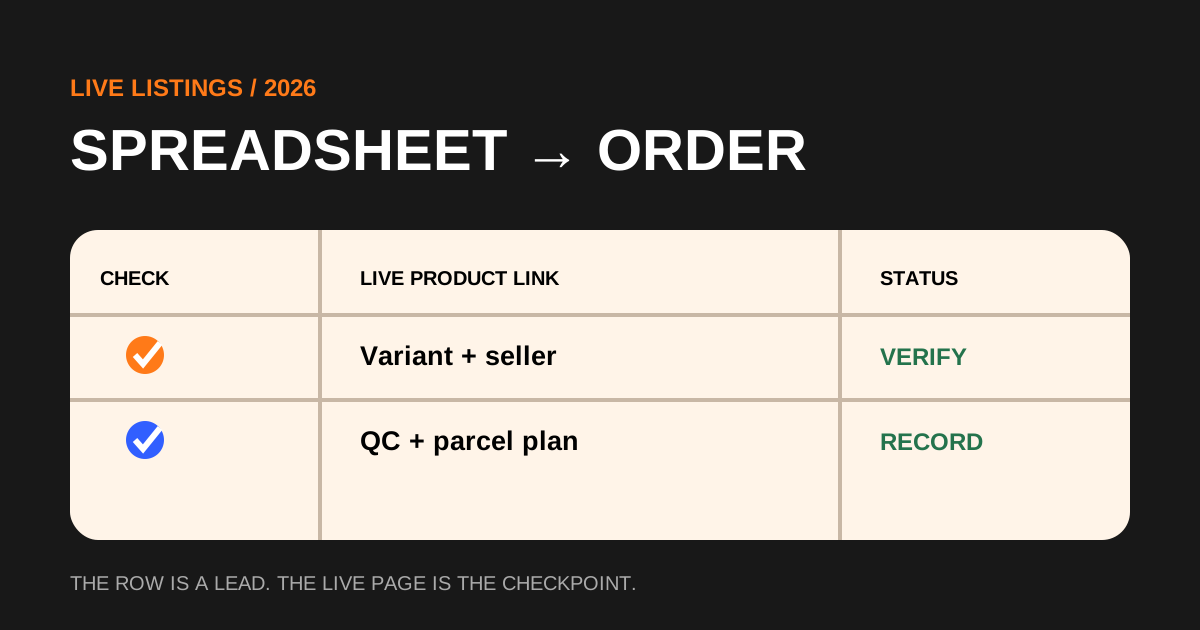
A Sugargoo spreadsheet is useful because it turns scattered product links into a searchable shortlist. It is not the seller page, a stock feed or a promise that the item remains unchanged. The row may have been accurate when it was collected while the marketplace listing later changed price, seller, bundle, colour names or available sizes. Open the current product page before you copy anything into an order. Match the image, title, selected option and seller identity with the row you intended to use. If the page now shows a different product, do not force the old description onto the new listing. Mark the row stale and look for a current alternative.
1. Treat every spreadsheet row as a lead, not a guarantee
This distinction matters because the spreadsheet and Sugargoo do different jobs. The spreadsheet helps discovery. The marketplace seller defines the goods being offered. Sugargoo acts as the purchasing and shipping agent for the order you submit. Keeping those roles separate prevents a familiar mistake: assuming a familiar spreadsheet name overrides the live seller page. Your evidence should always begin with the page that can actually be purchased today.
2. Open the complete live listing and test whether it still resolves
Use the full product URL rather than a screenshot, shortened redirect or cropped social-media post. A complete Taobao, Weidian, 1688 or other supported marketplace link carries the identifiers Sugargoo needs to retrieve the page. Let the listing finish loading and check whether it resolves to the expected seller and product. Look for removal notices, login walls, region messages or a replacement page. A visible image alone is not enough if the option table or seller details cannot be confirmed.
Record the date you checked the link. Then capture the seller name, page title, current base price and the exact variation you are considering. If the headline price is unusually low, test the option selector: marketplace pages often display the lowest accessory or smallest configuration first. A row advertised as a jacket may open to a page where the headline price belongs to a patch or deposit. The payable option is the number that belongs in your notes.
3. Create a variation record before you paste the URL
A product URL identifies a page, not necessarily the product you want. Build a compact variation record with colour, size, model, quantity and included accessories. Copy the seller's option wording exactly and add a plain-language explanation when the label is coded or translated poorly. For clothing, retain the size chart and the measurements that control fit. For shoes, keep the tagged size system and any relevant insole information. For electronics, note model, plug, voltage and battery attributes.
Save one identifying screenshot and one option screenshot beside the date. The purpose is not to archive the whole listing. It is to preserve the decision if the page changes after payment. Avoid vague order remarks such as “same as picture” because a page may contain many pictures. Write the requested variant directly. If an option cannot be expressed clearly enough for another person to purchase, pause and ask for clarification before paying.
4. Paste the link into Sugargoo and reconcile the imported page
Paste the complete URL into Sugargoo's search or purchasing field. When an item page imports automatically, compare it with the source instead of assuming the import is perfect. Recheck seller, title, option labels, unit price, quantity and China-side delivery. If Sugargoo cannot parse the page, use the manual or DIY order path available in the current interface and supply the same evidence record. A manual order is not permission to guess; it requires clearer instructions because fewer fields arrive automatically.
Before submitting payment, read any purchasing message about changed price, missing stock, domestic freight or unsupported goods. Update your cost record when the payable amount changes. Do not approve a replacement variation simply because it is close. Compare it with the requirement that made the original item useful. The safest approval is specific: it names what changed and confirms that the new option still works.
5. Separate product payment from the later parcel decision
A marketplace item price is only the first cost gate. The first payment can include goods, China domestic delivery and payment-related charges shown at checkout. International shipping comes later after warehouse arrival, packaging and route selection. Estimate that second stage before buying by considering likely packed weight, dimensions, destination and sensitive attributes. Light but bulky goods may be billed by volume, while liquids, batteries, magnets or other attributes can reduce the available routes.
Use a range rather than one attractive number. A spreadsheet price does not include the uncertainty of the finished parcel. Decide the maximum delivered cost that would still make the item worthwhile, then reserve enough budget for that later decision. This prevents a cheap product from feeling impossible to abandon after it reaches the warehouse. Money already spent should not automatically authorize the next payment.
6. Use warehouse QC to compare the received item with the record
When the order reaches the warehouse, compare the QC photos with the variation record you created before payment. Start with identity: model, colour, size, quantity and included parts. Then review measurements, visible condition and category-specific details. Sugargoo states that agent orders receive a baseline set of five QC photos, but the number of images does not guarantee that every question has been answered. Count resolved questions rather than photographs.
Request an extra image or measurement only when it can change your decision. “Please check quality” is too broad. “Show the size tag and measure chest width with the garment flat” defines usable evidence. If the warehouse images reveal a clear mismatch, preserve the order record and image number before opening an after-sales request. If the issue is only uncertain lighting or angle, one targeted photo may resolve it faster than an unsupported conclusion.
7. Plan the parcel from current measurements and route rules
After accepting the item, replace your early shipping assumptions with the warehouse weight, dimensions and product attributes shown in the account. Consider whether to combine it with other orders, remove unnecessary packaging or add protection. Consolidation can improve efficiency, but a bulky or route-restricted item can also make the whole parcel less flexible. Compare at least one sensible combined plan with a logical split when the difference could affect route availability or billable weight.
Choose a route from the options available for that parcel and destination at submission time. Route names, limits and estimated windows can change, so an old spreadsheet comment or community screenshot should not control the decision. Record the selected line, quoted amount, billing method, declared description and tracking number. This closes the chain from discovery row to shipment evidence.
8. Maintain the spreadsheet without turning it into false certainty
For personal use, add simple status fields: checked, ordered, warehouse, rejected, shipped or stale. Keep the last-checked date and a short reason whenever a row fails. Do not silently replace a dead link with a merely similar product; create a new row so the order history remains auditable. If the sheet is shared, separate factual fields from opinions. “Page unavailable on September 17” is a fact. “Seller is bad” is a conclusion that needs more evidence.
A good spreadsheet reduces search cost and prevents repeated work. It does not eliminate marketplace change, fit risk, hidden defects, customs rules or carrier uncertainty. The winning workflow is modest and repeatable: open, verify, record, order, reconcile, inspect and plan. When every handoff has an evidence checkpoint, the spreadsheet becomes more useful than a long list of links because it helps you decide what not to buy as clearly as what to buy.
Review your completed rows after delivery. Compare the price you first saw with the amount paid, the warehouse result, shipping allocation and delivered condition. Add one short lesson that can change the next purchase, such as “box created volume,” “size chart was accurate” or “seller changed the option after checkout.” Do not turn one result into a universal seller rating, but use repeated evidence to improve filters. A maintained sheet is a decision log: it preserves why you chose an item, which checks resolved the risk and which assumptions were wrong.
Questions buyers ask after reading this guide
Can I order directly from a Sugargoo spreadsheet?
The spreadsheet is a discovery index. Open the current marketplace page, verify the exact item and paste the complete live URL into Sugargoo.
Why does the price change after I open a product link?
The displayed headline may belong to another option, or the seller may have changed price, stock or domestic delivery. Use the amount attached to your selected variation.
What should I save before paying?
Keep the seller, live URL, selected variation, quantity, price, option screenshot and date. Add measurements or included accessories when they control the decision.
Do catalogue photos replace Sugargoo QC photos?
No. Catalogue images describe the offer; warehouse QC photos show the item associated with your order after arrival.
How often should a spreadsheet link be checked?
Check it immediately before ordering and again if the purchasing agent reports a change. Marketplace pages can move or change without notice.
Independent research based on Sugargoo's official public service, ordering, warehouse and shipping information reviewed September 17, 2026. Always confirm the current terms shown in your own account before paying or submitting a parcel.